How to Use
Screenshots: docs/public/screenshots/session-convert/
Conversion runs locally on the server and does not connect to Telegram. Dead sessions are not detected; success does not guarantee the output still logs in.
Step 1: Sign in
On /convert, auth gate with convert-specific copy:
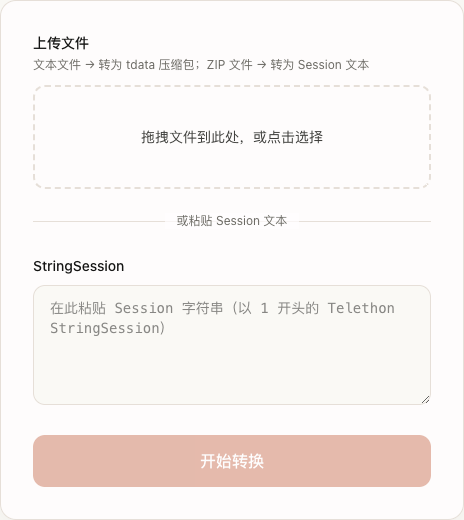
Already signed in on Export tab? Switch tabs — no re-login.
Step 2: Upload or paste
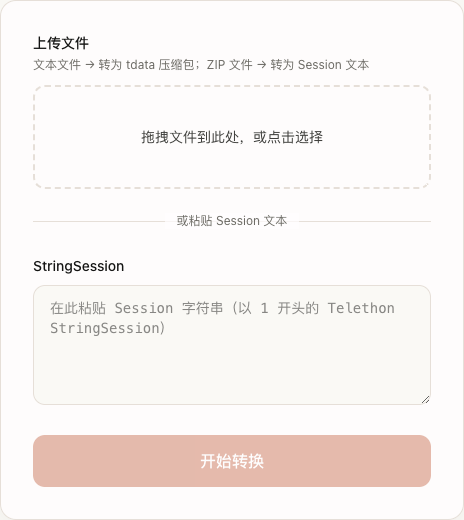
Option A: Upload file
- Text file → tdata ZIP
- ZIP with tdata → Session text
- Drag-and-drop or click to browse
Uploading a tdata ZIP (details)
- Must be a standard ZIP (magic bytes
PK). No RAR/7z. No password-protected archives. - Must contain tdata data. Pre-check passes if either:
- Paths include
tdata/(e.g.tdata/key_datas), or - Any entry named
key_datasexists in the archive
- Paths include
- Recommended packing
- Zip the
tdatafolder only →tdata.zip - Zip the account folder from Session Export (contains
tdata/subfolder) - Zip
tdatacopied from Telegram Desktop (close Desktop first)
- Zip the
- Export ZIP vs tdata ZIP
Session Export downloads includesession.txtandtdata/. For tdata → Session you may upload the full export ZIP (server findstdatainside) or zip only thetdatasubfolder. - After upload
ZIP is treated as tdata → Session; output isconverted_session.txt.
Session → tdata upload
- Upload a text file or paste StringSession (Option B)
- Output:
converted_tdata.zipwith root foldertdata/for Telegram Desktop - Session must be complete and still valid
Option B: Paste Session
Paste Telethon StringSession (usually starts with 1). Pasting clears any selected file.
If remaining uses = 0, Start conversion is disabled.
Step 3: Converting
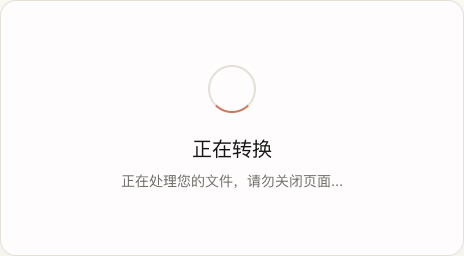
Do not close the page. Failures do not deduct quota.
Step 4: Download
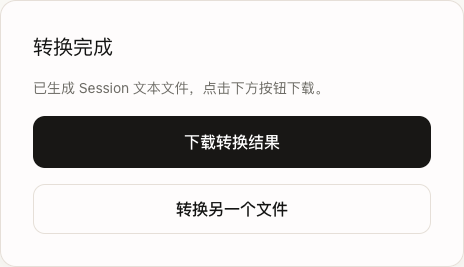
| Input | Download |
|---|---|
| Session text | converted_tdata.zip (tdata/ inside) |
| tdata ZIP | converted_session.txt |
After Session → tdata: extract ZIP → use tdata/ with Telegram Desktop (backup first).
After tdata → Session: open txt → load in Telethon/Pyrogram or paste here again to get tdata.
Success deducts 1 use.
FAQ
| Issue | What to do |
|---|---|
| Auth / login expired | Sign in again |
| No remaining uses | Buy new auth code |
| Invalid Session | Full, uncut StringSession; session must be active |
| No tdata in ZIP | ZIP must contain tdata/ paths or key_datas — not session.txt-only packs |
| Invalid tdata / no valid tdata dir | Incomplete backup or missing key files |
| File too large | Over limit (default 20MB) |
| Timeout | Retry later |
See Glossary. Purchase: Auth code & quota · Purchase